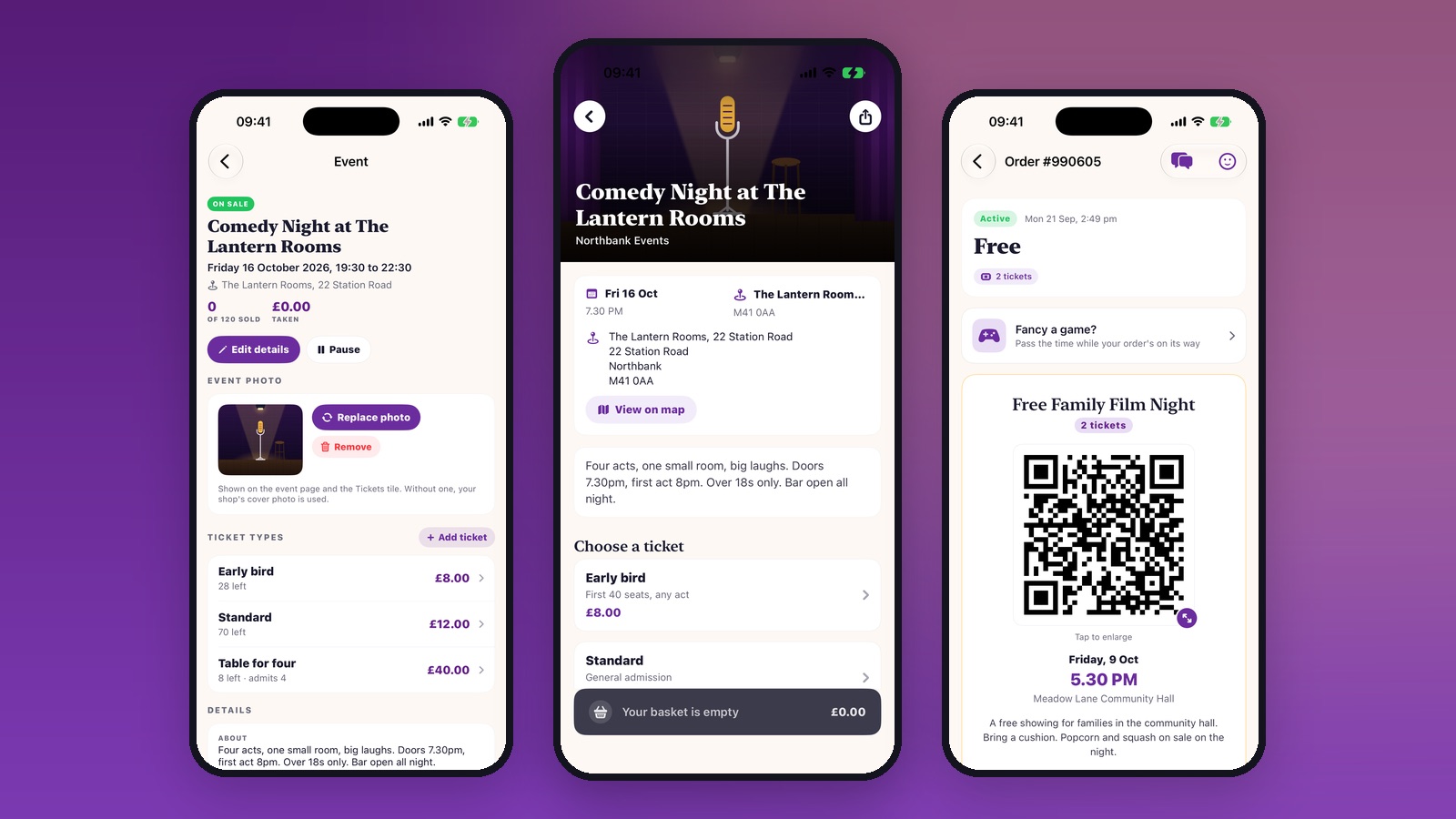
If you put on nights, SHOCAL will sell the tickets for you. Comedy nights, quiz nights, workshops, match days, school film clubs, charity evenings: 49 organisers already run their events on SHOCAL, and between them they have issued 21,513 tickets and scanned 12,935 people through the door.
You can be set up this afternoon. There is nothing to install, no contract, and no upfront fee. Here is exactly how it works.
Listing an event takes about five minutes
Everything happens in the SHOCAL app, on the phone in your pocket. Open your seller hub, tap Events and tickets, then New event.
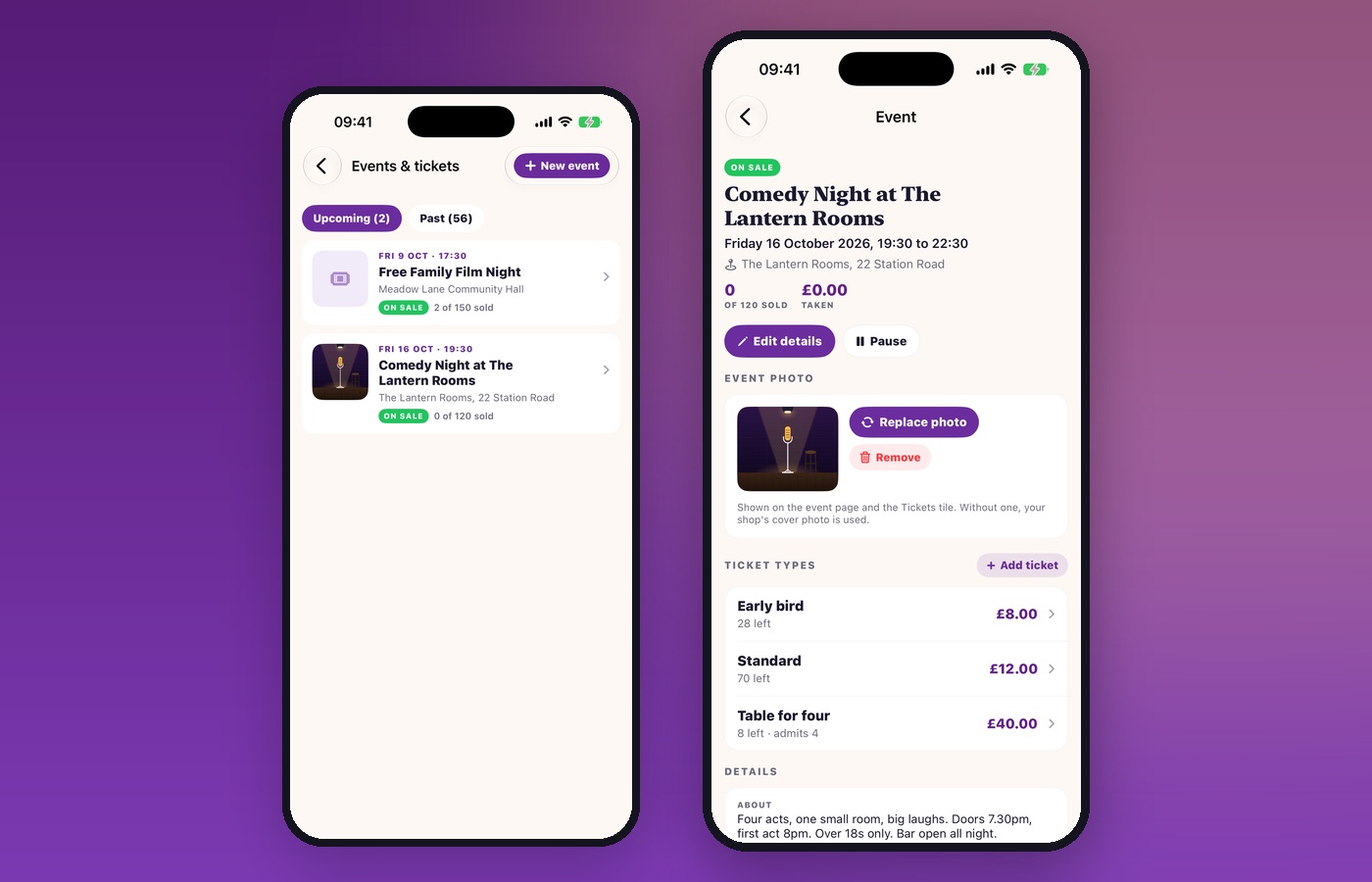
You give it a name, a venue, the date and the times, and how many people you can fit in. You write a few lines about the night, add your poster or a photo, and choose when tickets go on sale. If it is a private event, a school evening or a members-only night, you set a four digit code and only people you give it to can buy.
Ticket types, priced your way
Add as many kinds of ticket as the night needs. Early bird at one price and standard at another. Adult and child. A table for four that admits four people on one ticket. Each one has its own price and its own number available, and the app keeps count as they sell, so you cannot oversell the room.
Running the same night again next month? Copy the tickets from the last one and they arrive already priced.
Your event goes where people are already looking
The moment it is on sale, your event appears in the Tickets section of the SHOCAL app for everyone in your area, with your poster, the date, and the price up front. People who already order their Friday takeaway through SHOCAL see what is on that weekend without going looking for it.
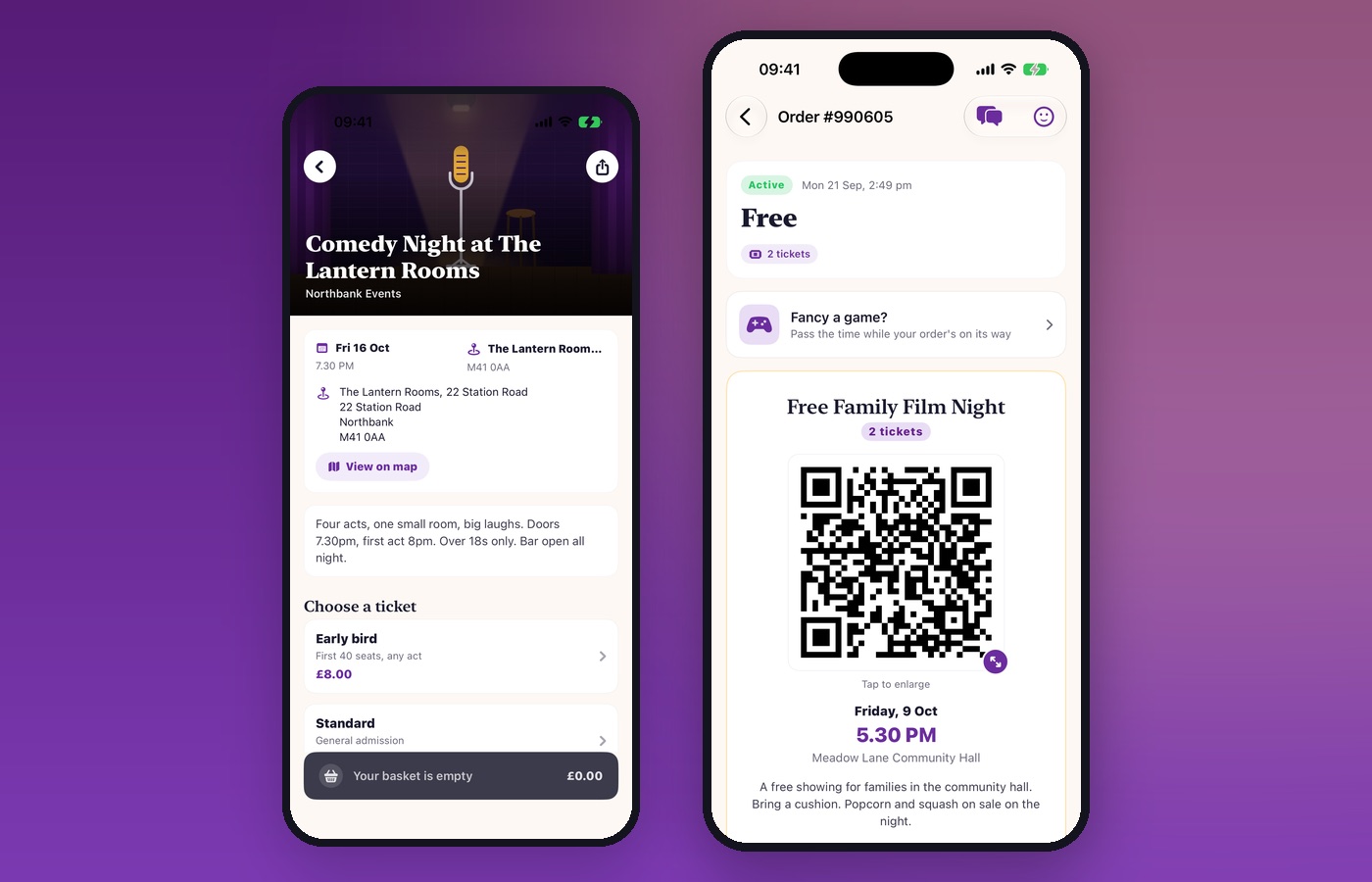
Buying takes seconds, and the ticket lands straight in their orders. No printing, no PDF attachment to lose, no separate app to download.
The door, without the clipboard
On the night, open the same seller hub and pick which event you are working. You get the list of everyone coming, what they bought and how many they are bringing, and a search box for the person who cannot find their email.
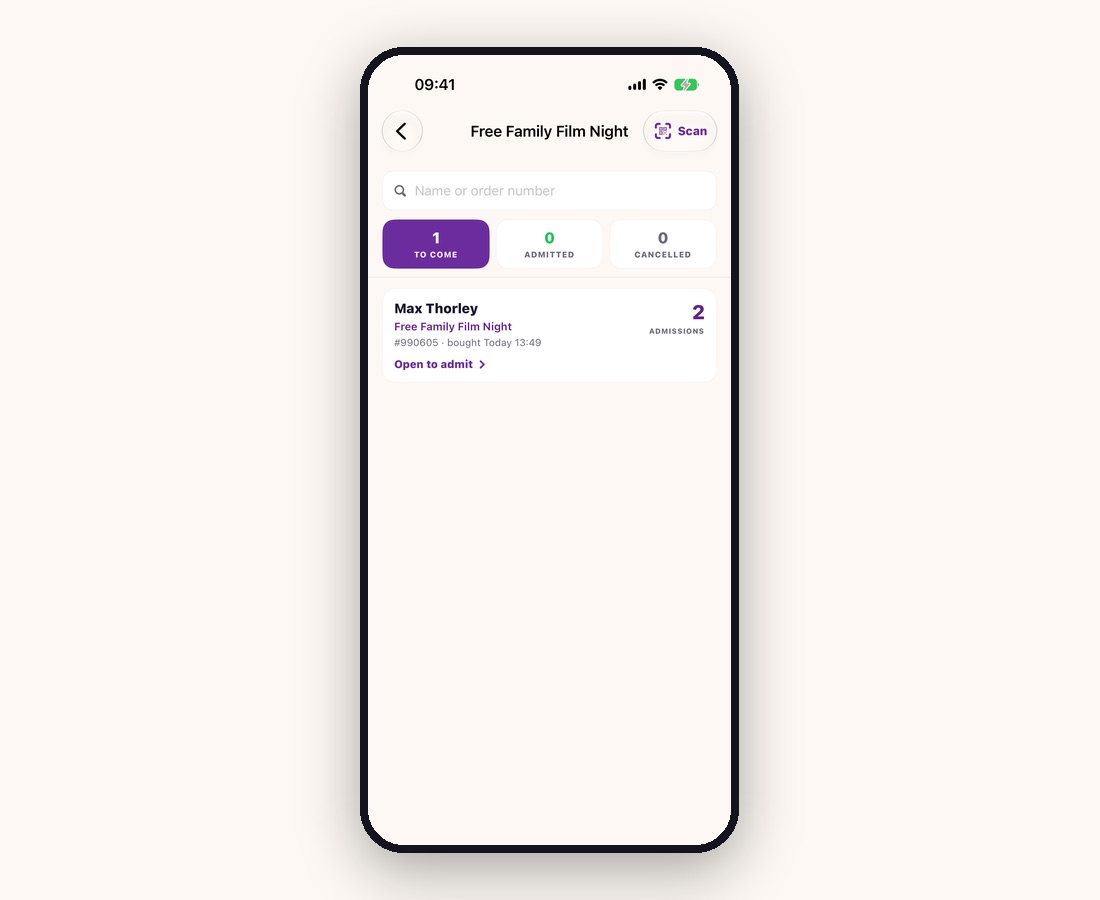
Tap Scan, point the camera at their code, and they are admitted. The count moves from To come to Admitted as people arrive, so at any point you know how many are in and how many are still outside. A code that has already been used will not scan twice.
Working the door with two or three people? Everyone on your team sees the same list on their own phone, updating as each of you scans.
What it costs
Nothing to join and nothing monthly. SHOCAL takes a small commission on tickets actually sold, between 2 and 5 per cent depending on the event, and the rest is yours. If nothing sells, you pay nothing.
Schools, PTAs and registered charities pay no commission at all, anywhere in the UK. That offer is open now and there is a separate guide to it.
Free events cost nothing either way. Set the tickets to free and people still reserve a place, still get a QR code, and you still get a door list and a proper headcount. Their ticket simply says Free instead of a price.
Everything else that comes with it
- Your own page. Your name, your photos, your events. Not a listing buried among competitors.
- Money where you can see it. Sales by ticket type, what you have taken and what is due to you, in the app.
- Pause anything. Take an event off sale for an hour or for good, without deleting it.
- Change your mind. Edit the date, the venue, the wording or the price and every ticket already sold updates with it.
- Local customers. Thousands of people already use SHOCAL for their high street, and your event sits alongside it.
Getting started
If you are already on SHOCAL, email us and we will switch ticketing on for your account today. If you are not, list your business first and tell us you want to sell tickets, and we will set the whole thing up with you.
Either way it is hello@shocal.org, or list your business at shocal.co.uk/business. Tell us about your next night and we will have it on sale before it.